When running Facebook ads, one of the most crucial steps, often overlooked by advertisers, is checking account quality. This is the “starting point” that determines the entire subsequent optimization journey, from ad approval capability and distribution stability to the costs you pay for each result. In the context of Meta increasingly tightening policies and the review system, knowing how to check the quality of a Facebook ad account quickly and accurately will help us proactively prevent risks, handle errors promptly, and ensure campaigns run smoothly.
In this article, Optimal Agency will guide you on how to check the quality of a Facebook ad account in the simplest, most time-efficient way, while covering all important factors that an advertiser needs to monitor. If you need quality ad accounts that can run for all niches, including WH (White Hat), GH (Grey Hat), and BH (Black Hat), you can contact BlackHatWorld.
Optimal Agency has over ten years of experience in online marketing, with deep expertise in sensitive niches like dietary supplements. We provide comprehensive Facebook ad support services, suitable for both large enterprises and advertisers who need a stable and safe solution.
We offer a diverse system of ad accounts, multiple time zones, multiple currencies, and high-quality account types like BM2500 and BM5000. With experience in handling and operating accounts in sensitive niches, we help you deploy campaigns smoothly, minimizing the risk of account restriction or disabling issues that many advertisers frequently encounter.
Is checking the quality of a Meta ad account truly necessary?

Before you initiate any Facebook Ads campaign, the first and most important step we always recommend is checking ad account quality. This is not a step to “just get it done,” but the foundation for the entire advertising system to operate smoothly. A healthy account is like a “clean engine,” allowing advertisers to confidently push the budget, optimize distribution, and reduce the risk of mid-campaign restriction.
Check account quality to avoid risks and accelerate approval
When your ad account fully meets Meta’s requirements, the system will approve ads faster and minimize the situation of being considered spam or policy-violating. For example, many new advertisers often do not know that just a few abnormal actions, such as creating too many campaigns in a short period or constantly changing payment methods, can cause the account to be suspected and distribution restricted.
Evaluate the account to determine eligibility to run ads
Through periodic checks, we will know if the account is in a “safe” state or needs to be resolved before running a campaign. A clean account history, no warnings, and operation according to the correct procedure will bring more stable distribution capabilities, thereby optimizing costs and helping campaigns achieve higher effectiveness.
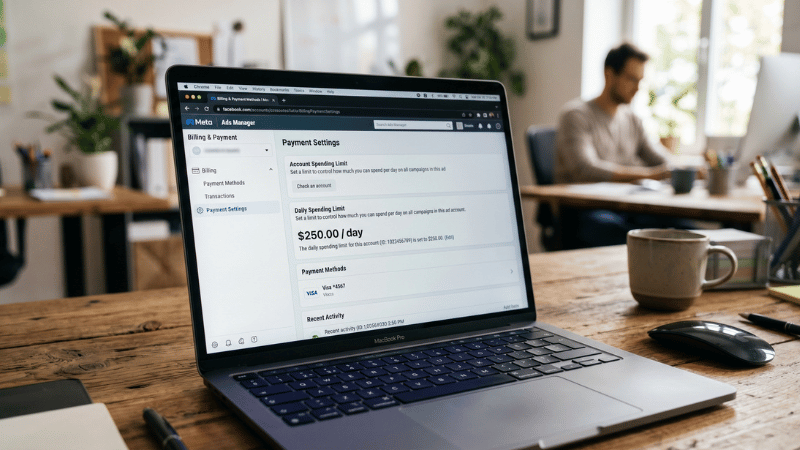
For example, a fashion store running seasonal ads often checks the account before major sale periods. By detecting spending limits early, they raise the threshold in time and avoid budget congestion during peak running.
Helps detect and handle technical errors
During the checking process, the Meta platform will also provide warnings or suggestions to optimize account settings. This is very useful for beginners or advertisers managing multiple accounts. By resolving small errors from the start, such as the pixel not recording events correctly, lacking two-factor authentication, faulty payment methods, etc., the campaign will significantly reduce the risk of encountering issues during operation.
Enhance fanpage quality and increase credibility
Checking the ad account also helps re-evaluate the quality of the linked Facebook page. This helps you eliminate harmful factors such as spam content, fake engagement, or non-transparent administrator lists. A “clean” and reputable Facebook page will create better trust with customers, while also improving ad results.
Overall, checking Facebook ad account quality is like the “engine start-up” step before beginning the race. When the account is healthy, everything from approval, distribution, to optimization becomes much smoother and more efficient.
How to check the quality of a Facebook ad account quickly
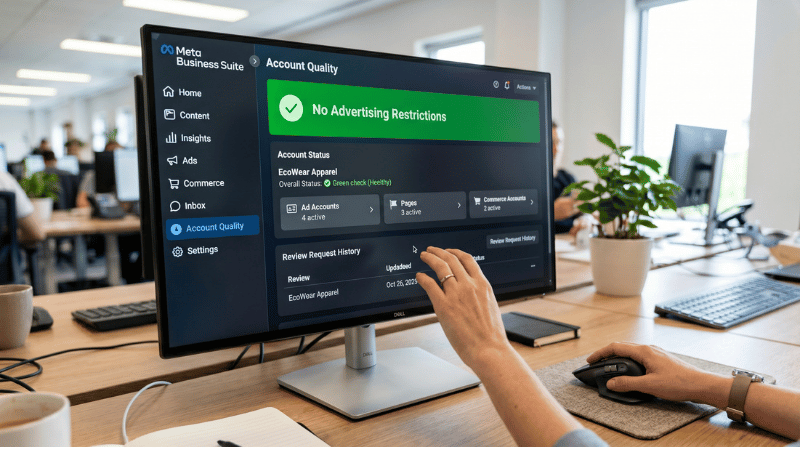
When managing ads, we understand that advertisers always want to know if their account is “healthy.” A good quality account will help campaigns run stably, limit errors, and reduce the risk of ad restrictions. Below, we will provide detailed instructions on how to check the quality of a Facebook ad account via the Account Quality section in the new Meta Business Suite interface, along with a practical example for easy visualization.

Access Meta Business Suite and open All Tools
After logging into Meta Business Suite, you are surely familiar with this interface. The first step is to click on the All Tools section. This is the area where we used to find the Account Quality section. However, Meta has recently changed the layout, making many unsure where this section has “moved.”
When you click on All Tools, a new tools panel will appear. Although Account Quality used to be right in this section, you will no longer see it there. It is due to this change that we wrote this article to help you find the account quality check section quickly and accurately.
Open Business Support Home to find the Account Quality section
The next step is to click on Business Support Home. When you click here, the system will automatically open a new tab. This is currently the only shortcut to re-access the Account Quality section.
Once the support page has finished loading, you will see the Account Quality section appear directly on the interface. It’s very simple; you just need to wait for the page to fully load. This is the overview area for the entire status of your accounts on Facebook.
Understand the new Account Quality interface
When you go inside, you may see the page displayed as Account Overview. This is the new interface that Meta is applying, helping to concentrate all important information in one place. Previously, the system took us straight to the account status report page, but now you have to select the account you want to check. In the upper corner, there is an account switching icon. Click here to choose between a personal account or a Business Account.
Example: If you want to check the quality of your personal account—where small pages, community Fanpages, or personal ad accounts are managed—just click to select the personal account. The system will immediately take you to the corresponding Account Quality page.
Check pages, fan pages, and business accounts

After the page loads, you will see the familiar interface of the Account Quality section. Here, you can check the quality of any page, ad account, or business that you own or have admin rights to.
The list of pages will be fully displayed. If you are managing multiple pages or client ad accounts, simply switch between the menus to immediately see the status of each asset.
You can also switch to the section for other Business Accounts to check, which is convenient for advertisers managing multiple projects.
Complete the checking process
In just 2 to 3 minutes, we believe you can completely find the Account Quality section again in the new Meta Business Suite interface. Despite Meta’s continuous changes, this tool bank remains the key to monitoring your ad warnings, restrictions, and operational status.
Directions for improving Facebook ad account quality
To maintain a stable ad account highly rated by Facebook, we encourage you and advertisers to build a foundation of transparent, consistent, and secure information. Below are important directions to enhance account quality, limit risks, and optimize ad effectiveness.

Standardize the information used on Facebook
We observe that many encounter errors when running ads simply because of inconsistent information. To increase transparency, you should standardize all information from the account name and email address to the payment method. For example, the name on Facebook needs to match the name on the Visa or Mastercard you use for ad payment. When the information matches, Facebook can verify faster and handle issues more transparently if the account runs into trouble.
With this consistency, your account will be rated higher by Facebook and minimize ad restriction errors.
Run natural Facebook ads
Running ads naturally and complying with Meta’s policies is always the safest path. We encourage you to limit “shortcut” tricks and instead rely on knowledge and experience for optimization. When ads operate naturally, Facebook will highly value transparency and limit the possibility of account disabling. Example: A seller running a Remarketing campaign without using pixel cheat tricks has maintained stable ROAS and encountered no policy warnings.
Use real information for the account
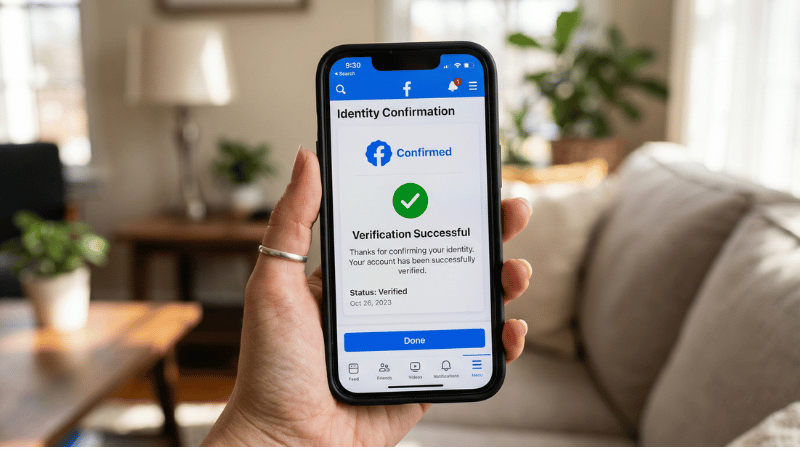
When setting up a Facebook ad account, using genuine personal information acts as the “identity card” verifying your reliability with Facebook. We advise you to fully update your real name, email, and phone number so the verification process runs smoothly.
If you use mismatched or fake information, your account is very susceptible to risk, such as being disabled, restricted, or unable to run ads. Example: An advertiser using an email that did not match their Facebook name was required by Meta to re-verify their identity and lost nearly a week to regain access. Therefore, using real information not only helps you operate more stably but also builds trust with customers throughout the ad running process.
Avoid using multiple accounts on one device
Logging into too many Facebook accounts on the same device is an abnormal sign in Meta’s eyes. Many advertisers have experienced account restrictions due to this unusual login activity. We recommend:
- Each ad account should have a dedicated device.
- If you must manage multiple accounts, use Business Manager or Facebook’s management tools instead of manual login.
- Example: A marketing team running 5 accounts simultaneously switched to using Business Manager for permission assignment, helping all accounts operate more stably and no longer facing checkpoint issues.
In case the account is disabled, you can absolutely submit an appeal and assert that you did not violate policies. Typically, the Facebook support team will check and reopen the account if they find it was mistakenly flagged.
By clearly understanding how to check the quality of a Facebook ad account, you hold the “health map” of your entire marketing system. From there, every optimization decision, whether adjusting campaigns, changing payment methods, or improving account credibility, becomes more accurate and effective. A quality account not only helps ads distribute stably and costs can be easily controlled, but also opens up opportunities for sustainable budget expansion. Maintain periodic checks, just like caring for an operating machine, so your ad account is always in its strongest state.
Frequently Asked Questions
A good quality account will be highly rated by Facebook, reach more people, and achieve higher effectiveness in marketing and ad running activities. The factors for assessing a good quality Facebook Ads account include:
Completeness and Accuracy of Information: It evaluates the completeness and accuracy of information on the page, including page name, address, website, and description.
User Interaction: Evaluates the page’s level of interaction with users, such as responding to comments, messages, etc.
Content Quality: Evaluates the quality of content on the page, including posts, events, images, and videos.
Policy Compliance: Shows the level of compliance with Facebook’s policies and regulations.
Checking Facebook ad account quality is something advertisers need to do regularly. Continuous checking helps advertisers know that their ad campaigns are performing effectively. It also helps to early detect and resolve issues in ad campaigns as soon as they appear. By monitoring and evaluating results, you can better understand the operational status of the campaign and make appropriate strategic adjustments and budget allocations. Focusing on ad campaigns with high conversion rates helps increase revenue and maximize profit.