How do you access and set up a Facebook Ads Manager account? In 2026, the process starts by creating a Meta Business Suite profile, followed by verifying your business identity and linking a secure payment method. A professional Facebook Ads Manager account is the central nervous system for your campaigns, where Meta’s Llama-4 AI processes signals to find your target audience.
At Optimal, we believe that a proper setup is not just about clicking buttons—it is about building a high-trust infrastructure that survives Meta’s rigorous automated audits.
Step-by-Step Guide to Accessing Your Ads Dashboard
To access your Facebook Ads Manager account, navigate to adsmanager.facebook.com. However, in 2026, “just logging in” is no longer enough for professional media buyers.
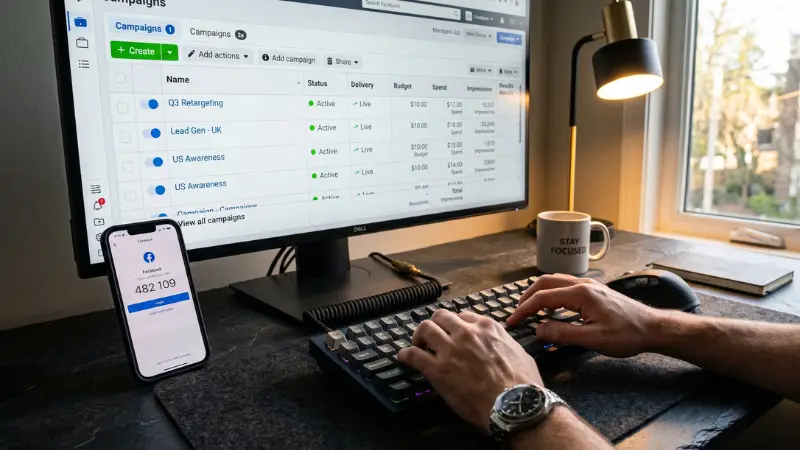
- Identity Verification: Meta now requires mandatory two-factor authentication (2FA) and, in many regions, a “Confirmed Identity” badge to unlock high-spend features.
- Asset Linking: You must connect your Facebook Page, Instagram account, and WhatsApp Business to a single Business Manager (BM) to allow the AI to optimize placements across the ecosystem.
- Security Environment: For those managing multiple assets, we recommend logging in via anti-detect browsers with dedicated proxies to prevent “Device Fingerprint” flags.
Personal Account vs. Agency Account: The Scaling Gap
While anyone can open a Facebook Ads Manager account, there is a massive technical gap between a personal setup and a Meta ad agency account.
- Spending Limits: Personal accounts usually start with a $50-$250 daily cap. Agency assets offer Unlimited Daily Spend.
- Trust Buffer: Personal accounts are frequently flagged during the testing strategy phase. Agency accounts are whitelisted, meaning they bypass most “False Positive” automated bans.
- Support Line: Agency accounts have a direct line to Meta representatives, a feature Optimal provides to all its partners.
If you are serious about global scaling, renting a professional FB ad account is the standard path to avoid the “Account Restricted” loop that plagues standard personal setups.
Optimizing for Meta’s 2026 AI Algorithm
Once your Facebook Ads Manager account is active, your focus must shift to Signal Management. The 2026 algorithm (Llama-4) doesn’t just look at your bids; it looks at the quality of data coming from your dashboard.
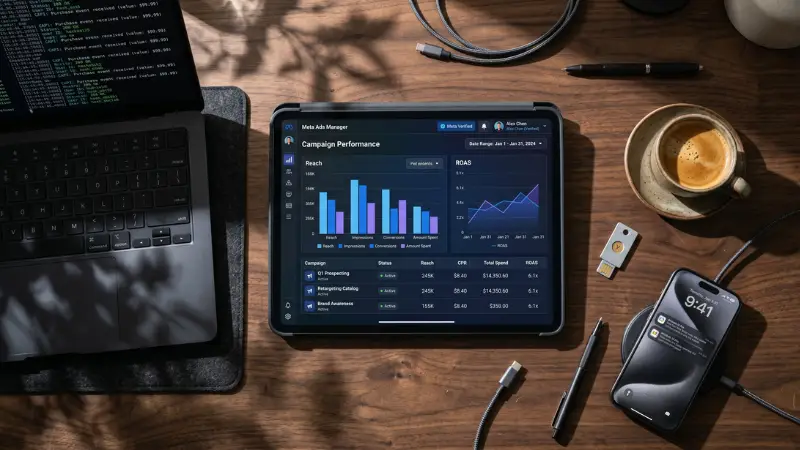
- Advantage+ Integration: Use automated placements and creative enhancements to let the AI find the “Lowest Cost” opportunities.
- CAPI Implementation: Ensure your server-side tracking is perfectly synced. This provides the “Contextual Sincerity” Meta’s AI craves.
- Creative Refreshment: Use the best AI Facebook ad generator to keep your assets fresh, as the algorithm penalizes “Creative Fatigue” faster than ever before.
For high-volume niches like those in a Facebook casino ads strategy, this level of technical optimization is the only way to maintain a positive ROAS.
Frequently Asked Questions (FAQ)
A: Yes, but they must be organized under a Business Manager. To manage multiple high-trust accounts, we recommend using aged Facebook ad accounts for better stability.
A: This usually happens due to “untrusted” payment methods or poor IP reputation. Transitioning to a rented agency account solves this by using pre-verified infrastructure.
A: You must spend consistently for weeks to increase limits on a personal account. Alternatively, you can get instant unlimited spend with an Optimal Agency Account.


