Facebook ads manager down? How to verify the outage on Meta’s official status page

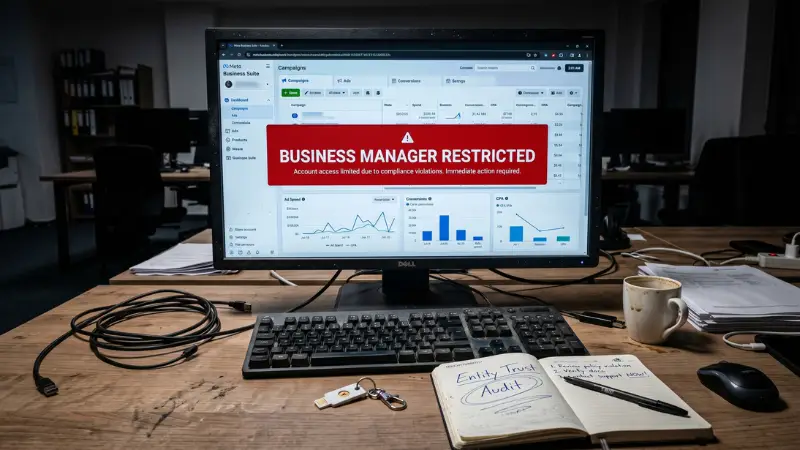
During a campaign’s operation, a non-responsive system always creates significant pressure because every decision relies on real-time data. When performance suddenly drops abnormally or the interface responds slowly, the crucial question to verify immediately is: Is the Facebook Ads Manager down? Checking the platform’s operational status helps you avoid making incorrect adjustments, limiting excessive intervention in the campaign structure when the error originates from the system side. Early verification of a possible Facebook ads manager down allows you to implement an appropriate response, preserve data, and maintain stability for the entire distribution. The checking process on the official Meta Status page thus becomes an indispensable step whenever the platform shows abnormal signs.

Does the Facebook Ads Manager ever go down?

The reality is, yes. The platform operates within Meta’s extensive ecosystem, so temporary non-responses or reduced stability may occasionally occur. When the system malfunctions, the entire distribution process can be temporarily slowed down or skewed. This creates an immediate feeling of reduced performance even though you haven’t changed any settings.

Does the Facebook Ads Manager ever go down?

Abnormal changes in distribution behavior

When the system is unstable, distribution is often where the first signals appear. Ads may experience uneven cost increases or decreases, lose pace, or record results in an erratic manner. You will see fluctuations that are outside the normal pattern, such as a sudden peak in recording followed by silence for many hours.

Distribution phases that are usually stable suddenly become unpredictable. At this point, instead of continuously editing multiple Facebook ad sets, you need to remain calm and observe further, as this behavior often coincides with periods when the system is handling an overload. This is why you should cross-reference the operational status on Meta Status before taking any new action.

Warning signs from the interface and campaign reports

Warning signs from the interface and campaign reports

The interface is the easiest place to detect a problem. When you click on each account or campaign and have to wait too long for the data to load, that is a sign the system is experiencing an issue. Cases like a data-empty interface, charts not showing figures, or the inability to display report columns are also clear warnings.

Additionally, some situations show that conversion data is missing or appears later than usual. When these phenomena occur simultaneously, the likelihood is high that Meta’s system is overloaded or undergoing a backend update. Instead of modifying numerous settings, observe and wait for the platform to restore stability.

Slow data processing and lag when operating

Lag during operation is one of the most common signs whenever the platform encounters an issue. You will find that the change-saving process takes a very long time, sometimes even requiring a repeat of the action. When adjusting the budget, updating the target, or turning ad sets on or off, the system needs longer than normal to respond.

This is not an account error but a phenomenon of data processing congestion. Heavy operations like creating new campaigns, duplicating ad sets, or requesting the simultaneous display of multiple charts also become slow. In these cases, you should limit continuous editing to avoid creating multiple overlapping commands that further confuse the data being processed.

Inconsistency between real-time data and stored data

One of the situations that causes many advertisers confusion is the discrepancy between real-time data and stored reports. When the platform is unstable, data may be recorded slowly, leading to daily figures not matching aggregated data.

You might see a real-time recording of a conversion while the stored chart remains static, or vice versa. This is a common phenomenon when the system needs time to synchronize its internal data sources. This issue usually resolves itself after Meta restores stable status.

What you need to do is avoid assessing campaign effectiveness at the time the system is malfunctioning, as decisions made at this point are easily skewed.

Accessing the official Meta status page to troubleshoot

When the platform shows signs of slow response or abnormal data fluctuations, the most important step is to determine the system status before editing any campaign settings. Checking the operational status helps you avoid incorrect interventions and prevents further data interference.

Accessing the official Meta status page to troubleshoot

Meta status page

The Meta Status page is the central hub for the operational status of products within the ecosystem. Here, you can track each service, such as Ads Manager, API, Business Manager, or the distribution system.

Notifications are updated continuously in real-time to reflect the platform’s stability. When you see a status reporting an error, you can determine the scope of impact and know whether your campaign is being directly affected. This is the first and most reliable reference source for assessing the problem.

You can easily find these error tracking pages by searching on Google for phrases like Meta for Developers Status or Meta Business Status. These pages clearly segment each functional area of the platform along with the corresponding activity level, helping you understand which part is experiencing an issue.

When checking, pay attention to the time of the last update to see if the issue is ongoing or has been previously acknowledged by Meta. This is a crucial basis for you to decide whether to continue monitoring or wait for the platform to stabilize before taking action.

Official support channels

In addition to the status page, you can follow Meta’s official support accounts on platforms like Twitter. This is where the technical team updates major incidents, issues currently being processed, or provides estimated resolution times. Getting information early helps you proactively coordinate work and limit unnecessary adjustments during a system error.

Checking incident history to predict recurrence

Another important factor is reviewing the downtime history of each service. This helps you assess whether the current issue is similar to previous errors. If the severity and timing are comparable, you can predict how long the error will last based on the resolution speed of previous incidents.

Historical data also helps you understand recurring outage patterns, allowing you to develop more effective risk management plans for large-scale campaigns.

If the issue persists

If you have checked all official sources, but the problem is unresolved, you need to continue evaluating whether the error is coming from your account or internal settings. This is the stage where you should closely monitor the situation for a few hours to see if the system status changes.

If the platform continues to report normal operation while your campaign remains flawed, you can move to the next step to seek deeper support.

Checking community pages and forums

In addition to official sources, you can also check Facebook groups, forums, or community pages to see if other users are experiencing similar issues. This is a quick and practical verification source, especially helpful when an issue has just occurred and hasn’t been timely updated by Meta.

If many people are experiencing the problem simultaneously, the probability is high that it is a system error, and you can safely wait for Meta to resolve it before adjusting your campaign.

Contacting Meta support

When the issue persists and directly affects business operations, contact Meta Support through the official help center. Providing clear information, such as the time of the error, the type of campaign, and specific symptoms, will help them process faster. This ensures your problem is considered with the appropriate priority level.

Determining the scope of impact by service

When the platform shows signs of instability, the first thing to do is look at the scope of impact of each service within the Meta ecosystem. Each service will experience different levels of disruption, from ad management and performance reporting to the distribution process.

Determining the scope of impact by service

Which services are most affected?

When the system is unstable, services relying on real-time data are usually the most heavily impacted. This includes ads distributed based on behavioral signals, optimization based on events, or reporting groups requiring continuous updates.

Industries running many short-cycle activities, such as e-commerce and retail, often feel the fluctuations more clearly. Conversely, cumulative industries like education or real estate may be less disrupted because of the longer conversion lifecycle. Identifying the impact level by industry helps you adjust expectations and correctly assess the cause of data fluctuations.

Temporary adjustments to avoid data interference

When the system is faulty, major changes to the campaign structure can easily interfere with the data. At this point, you should only make gentle adjustments aimed at maintaining temporary stability. For example, keep the budget at the old level, avoid changing the audience file, and limit ad set edits.

Small adjustments can help the system avoid having to relearn from the beginning when the platform has not fully recovered. This approach protects data continuity and avoids optimization cycles that lead to loss of control.

The right time to maintain settings or wait for system recovery

One of the common mistakes is adjusting too early before the error is confirmed. If Meta Status is reporting an outage, the safest choice is usually to maintain all settings until the system is operational again.

This helps you avoid situations where the campaign has to relearn from scratch or is distributed incorrectly due to a lack of data. When you see a recovery signal, you can re-check each metric to assess the level of stability. You should only start making adjustments when the data is running at a steady pace and no longer showing abnormal fluctuations.

Protecting the budget against system fluctuations

During a platform issue, the budget can easily be spent improperly if the distribution system is skewed. To mitigate this risk, you can slightly decrease or slightly increase the budget but maintain the campaign structure.

A slight decrease in budget while maintaining the campaign structure is essentially a way to “reduce power but not change direction.” When the system is unstable, drastically cutting the budget or making deep edits to the ad sets will force the campaign to relearn, leading to skewed data and uncontrollable performance.

Just reduce a small portion of the budget to a safe level to limit spending during the fluctuation period, while keeping the entire operating mechanism of the campaign intact. By maintaining the structure, the system does not have to restart the optimization process, distribution signals are maintained, and metrics are not severely disrupted.

When the platform returns to stability, you only need to return the budget to the original level for the campaign to continue running at its old pace without lost recovery time. This approach is both safe and ensures data regularity.

This approach helps reduce spending without forcing the system to re-optimize after the error ends. Additionally, you can closely monitor frequency, cost per result, and distribution quality to detect anomalies.

When you notice costs escalating unreasonably, narrowing the running hours or temporarily reducing the allocation will create a layer of protection for the budget. After the system is stable, you just need to return the budget to the original level and let the campaign run naturally.

Frequently Asked Questions


How do I check if the Ads Manager error affects Pixel and offline conversions?

Monitor the event log on the Pixel and check offline data. If the number of events is delayed or missing concurrently with the Ads Manager error, the system is affecting conversion data.


If the campaign is in the algorithm learning phase, does a system error affect the ad quality score?

Yes. The learning system relies on continuous data. An interruption causes algorithm and score deviation; maintaining the structure and budget helps limit the deviation.

Rate this post