The prevalence of the Facebook ad blocker is changing how users experience the social network, making it difficult for many ad campaigns to reach potential customers. Advertisers need to clearly understand the operating mechanism of the Facebook ad blocker to adjust content, choose appropriate formats, and refine distribution strategies. By grasping how ad blocking works, businesses can not only minimize the risk of wasted budget but also maximize the display rate and maintain natural engagement with customers. Proactive adaptation helps ad campaigns be more effective and maintain competitiveness on the platform.
How does Facebook advertising affect users?
Advertising on Facebook is constantly dense, making many users feel annoyed. Especially when content irrelevant to their needs continuously appears. Some Facebook-sensitive ads slipping through the review system also cause users to feel alienated and easily distracted when scrolling through the news feed. Therefore, many people are starting to turn to the Facebook ad blocker to regain a cleaner, smoother experience.
Facebook ad blocker
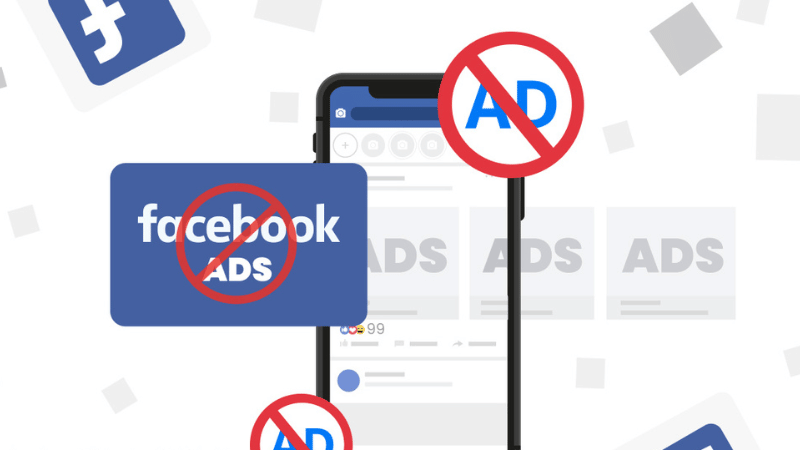
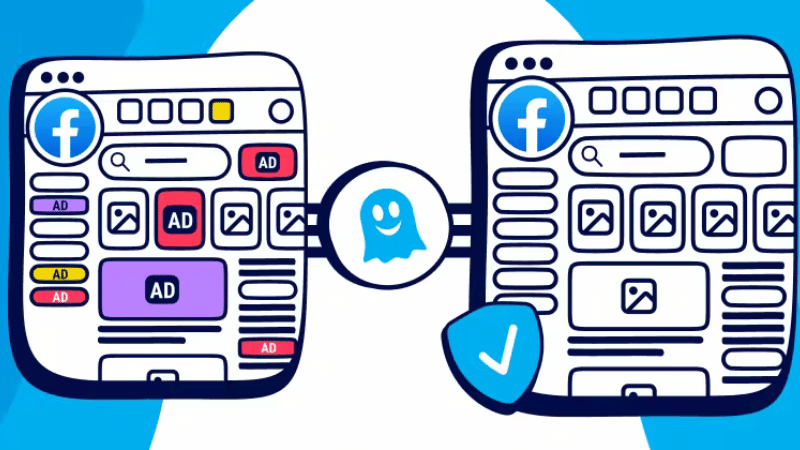
The Facebook ad blocker is a tool that helps prevent ads from displaying when users scroll through the platform. It directly interferes with how the browser loads data, thereby eliminating components identified as advertising.
This tool operates based on a pattern recognition rule set, combined with a list of common ad domains. Thanks to this, users can significantly limit the amount of annoying ad content without needing overly technical intervention.
The effectiveness of the Facebook ad blocker
When analyzing the effectiveness, we will see that this tool creates a clear difference across each device environment. This helps users choose the right option to enhance their experience.
- Effectiveness on computers is often significantly higher because browser extensions operate directly within the browser. They can block various ad formats, from images to videos. Thanks to the power of extensive content filtering, the Facebook browsing experience becomes lighter and faster.
- Effectiveness on mobile phones is often lower because mobile browsers have restricted intervention rights. The Facebook app also utilizes a proprietary design, making it less straightforward to block compared to the web version. Many tools require traffic filtering via VPN to reduce ads, but the success rate depends heavily on the device and the app version.
A small note on usage
Users need to consider a few points to use the Facebook ad blocker more effectively and avoid risks during their experience.
- Safety: Most popular utilities are safe to use on computers. They come from long-standing developers and are frequently updated to prevent security vulnerabilities. However, users should still download from official sources to avoid malicious extensions.
- Speed and experience: Blocking ads helps reduce the data load that needs to be processed, so the page opens faster. Users enjoy a smoother experience, with less distraction from constantly popping-up content. For those who use Facebook for work or reading news, this difference is quite noticeable.
- Limiting instead of complete blocking: Blocking everything is not always the right approach. Facebook has an Ad Preferences option that helps users limit topics or hide unwanted content. This method is suitable for those who want to control their news feed harmoniously without affecting the interface or other features of the app.
Adaptive solutions for annoying ads on Facebook
When the frequency of ads is too dense, the Facebook user experience can become quite frustrating, especially for those who just want to quickly scroll through a few news lines without being pushed into countless marketing messages. To mitigate this situation, users can fully apply various methods, from direct adjustments within the app to choosing external support tools.
Adjusting Facebook settings
Step 1: Access the Settings and Privacy section.
Step 2: Select Settings and open Ad Preferences. Here you can turn off options like Ads based on my use of websites and apps or ad categories based on online activity.
Step 3: When these options are disabled, Facebook will reduce the level of targeting based on observed behavioral data. The result is that the number of displayed ads still exists, but is less trackable and does not closely reflect user habits.
Using browsers with built-in ad blocking
Opera is a quite popular choice when prioritizing convenience, because after downloading and accessing Facebook, the browser automatically blocks most ads, especially on Android devices. This is a quick and simple solution that doesn’t require installing any additional extensions.
Another option is Firefox Focus, a privacy-focused browser. Firefox Focus does not save browsing history and automatically blocks many forms of online tracking and ads on Facebook. Thanks to this, users have a cleaner news feed, and content loading speed is also significantly faster.
Using extensions or applications
This type of tool often has free and paid versions, each offering a different level of protection. These tools all enhance privacy protection when browsing Facebook, prevent malware, and minimize the risk of being tracked:
Adguard
- Supports blocking diverse ad formats appearing on Facebook.
- Enhances privacy by preventing online activity tracking systems.
- Has a paid version with advanced filtering capabilities and deeper customization for each content type.
AdLock
- Operates similarly to Adguard but focuses more strongly on preventing malware.
- Provides broad protection, controlling many common intrusive ad forms on social networks.
- The paid version unlocks additional deep-focus filters to better control data.
CyberGhost VPN
- An option in the direction of VPN, creating a secure connection to hide browsing activity.
- Automatically blocks many forms of advertising, malicious code, and trackers from external sources.
- In addition to security, VPN also helps stabilize connections when accessing Facebook in some restricted areas.
Handling cases of false blocking or bypass
When using ad-blocking tools, sometimes Facebook will encounter situations of being falsely blocked or the ad system bypassing the filter layer:
- Re-check the exclusion list in the utility: Many ad-blocking tools allow adding certain pages to the exclusion list. If Facebook is mistakenly included in this list, ads will still appear normally.
- Update blocking filters: Utilities often release new filters to handle ad forms that bypass existing filters. If the filter is old, the system will easily miss ads or falsely block non-ad interface elements.
- Temporarily turn off and turn on the utility: This simple technique helps refresh the blocking mechanism. When the utility conflicts with other extensions, toggling it off and on helps the system synchronize filters and re-identify elements on the page to avoid incorrect blocking.
- Check for conflicts between utilities: If you use multiple tools simultaneously, such as VPN, tracker blocking, and ad blocking, the possibility of conflict is very high. One utility may override another, causing bypassing or false blocking.
- Restore utility to default settings: In cases of recurring errors, restoring to the original settings helps eliminate all custom rules causing false blocking. This is also a way to start over with a cleaner and more accurate filter set.
Frequently Asked Questions
This is because many advertisers use code fragmentation techniques, hide within interface elements, or adjust content loading in real-time, making it difficult for the filter to recognize in time before the ad displays.
Yes. Overlapping filter layers can cause data leakage, create points of conflict, and open vulnerabilities for malicious code if one utility is not reliable enough or lacks security updates.


