In the competitive world of digital advertising, your success isn’t just about your creative or your budget—it’s about your Account Quality. In 2026, Meta’s AI algorithms have become more sophisticated, penalizing accounts with low “Trust Scores” with higher CPMs and frequent bans.
But how do you know if your account is healthy or on the verge of suspension? In this guide, Optimal Agency will show you exactly how to audit your Facebook ad account quality like a pro.
Optimal Agency has over ten years of experience in online marketing, with deep expertise in sensitive niches like dietary supplements. We provide comprehensive Facebook ad support services, suitable for both large enterprises and advertisers who need a stable and safe solution.
We offer a diverse system of ad accounts, multiple time zones, multiple currencies, and high-quality account types like BM2500 and Account No Limited. With experience in handling and operating accounts in sensitive niches, we help you deploy campaigns smoothly, minimizing the risk of account restriction or disabling issues that many advertisers frequently encounter.
Why Account Quality Matters for Your Ad Performance?
Account quality is a “Trust Signal” used by Meta to determine how much freedom you have on the platform. A “Green” account status leads to:
- Lower CPM & CPA: Meta rewards stable advertisers.
- Faster Ad Approvals: Your ads bypass long manual reviews.
- Higher Spending Limits: Scalability becomes effortless.
Expert Note: In 2026, even one “Red” signal in your Business Manager can affect all linked assets. Prevention is always cheaper than recovery.
At a Glance: High Quality vs. Low Quality Accounts
Before diving into the steps, use this comparison table to evaluate your current standing:
| Metric | Low Quality Account | High Quality (Agency) Account |
| Trust Score | Low (New/Personal) | High (Aged/Verified) |
| Spending Limit | $25 – $50 / day | No Limit / High Limit |
| Feedback Score | Poor or Unrated | Positive / Consistent |
| Ban Risk | Very High | Minimum |
5 Steps to Check Your Facebook Ad Account Quality
Step 1: Access the Meta Account Quality Tool
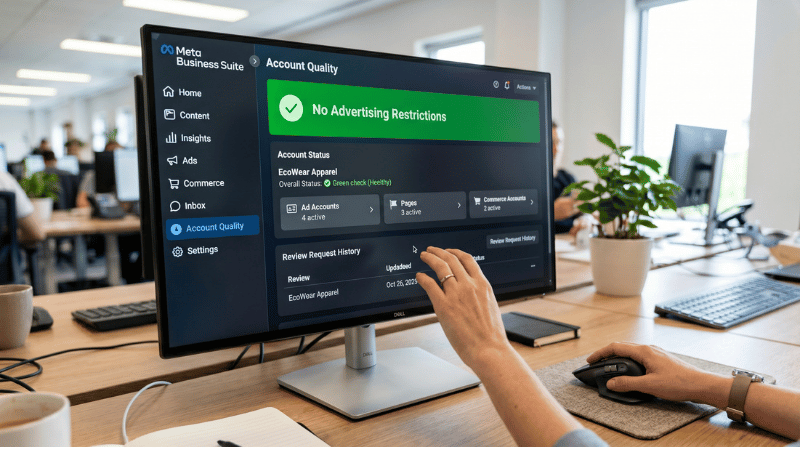
The first step is to visit the official dashboard.
- Go to Business Suite Account Quality.
- Select your specific Ad Account or Business Manager.
- Look for the “Status” indicator. A green checkmark is what you want to see.
Step 2: Analyze Your Spending Limit (DSL)
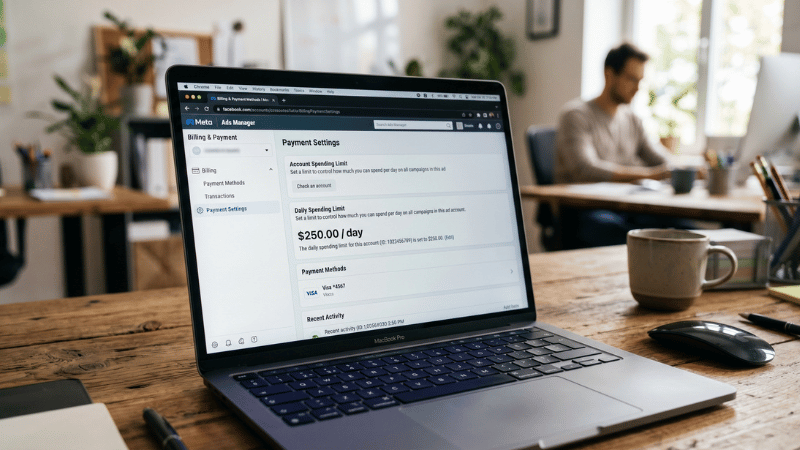
A hidden indicator of quality is your Daily Spending Limit.
- If your limit is stuck at $25, Meta still views you as a “High Risk” or “New” advertiser.
- Accounts that have a $250+ or Unlimited limit have passed the initial trust filters.
Step 3: Check the “Identity Confirmation” Status
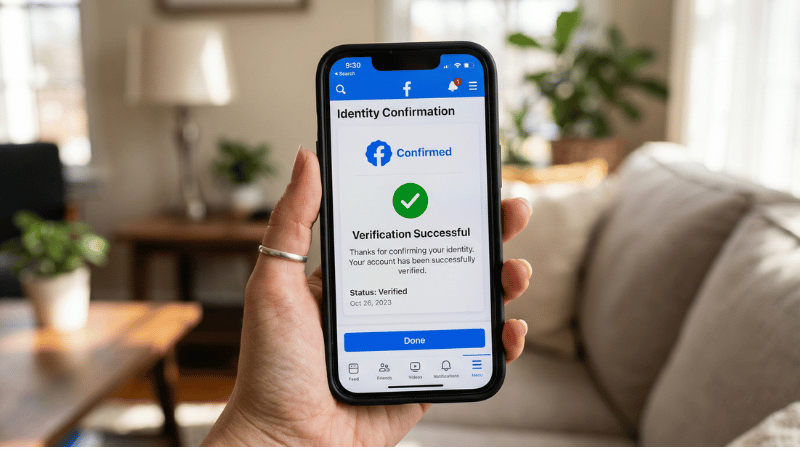
In 2026, Meta prioritizes transparency. Navigate to your Personal Profile Settings > Identity Confirmation. If you haven’t uploaded your ID and received a “Confirmed” status, your ad account quality will always be capped.
Step 4: Audit Your Page Feedback Score
If your ad account is linked to a Facebook Page, check the Customer Feedback Score (under the “Account Quality” tab).
- Score 4-5: Excellent.
- Score 2-3: Warning. Your ads will cost more.
- Score < 2: Your account is at risk of being disabled.
Step 5: Inspect Administrative “Linkage”
Check the people who have access to your account. If any admin has a history of banned personal accounts, it creates a “Negative Linkage” effect. Ensure all admins have clean records and 2FA (Two-Factor Authentication) enabled.
What to Do If Your Account Quality is Low?
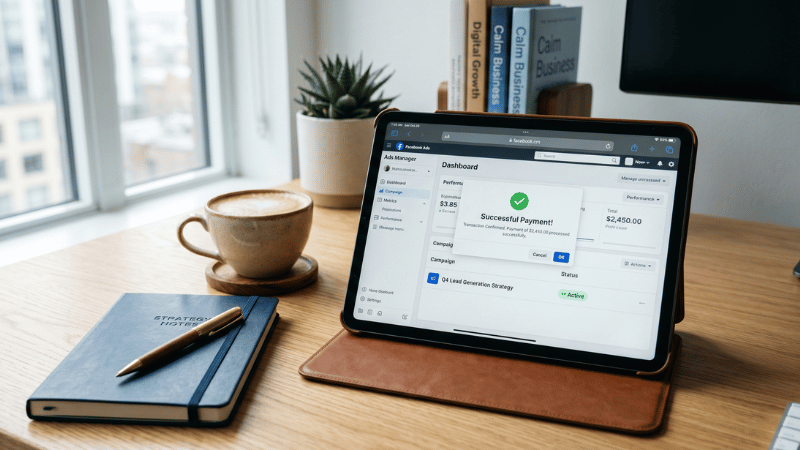
If you find your account in the “Red” zone, you have two options:
- The Long Way: Appeal the decisions, wait 48-72 hours, and hope for a reversal (Success rate in 2026: ~15%).
- The Smart Way: Pivot to a high-trust infrastructure.
Most professional advertisers today don’t use personal accounts. They use Agency Accounts. These are pre-verified accounts with established trust scores that allow you to bypass the “newbie” restrictions.
🚀 Ready to stop worrying about bans? > Save your time and focus on profit. Rent a Facebook Ad Account from Optimal Agency today. Our accounts come with high spending limits and 24/7 technical support.
Frequently Asked Questions
You can appeal once. If Meta denies it, the decision is usually final. It is better to move your pixels to a new, clean account.
Yes. Inconsistent IP addresses are a major red flag. Always use a dedicated Proxy or VPS when managing high-value ad accounts.
Typically, it takes 30-60 days of consistent, policy-compliant spending to see a “Trust Score” increase.


